If you subscribed via the Autism Parenting Magazine app, try the steps below:
1. Reinstall the App
Uninstall the app
Restart your device
Reinstall from:
2. Check for Updates
Make sure you’re using the latest version of the app.
3. Restore Purchases
Open the app
Go to Settings > Restore Purchases
Be sure you’re logged in with the same Apple ID or Google account used to subscribe.
iOS:
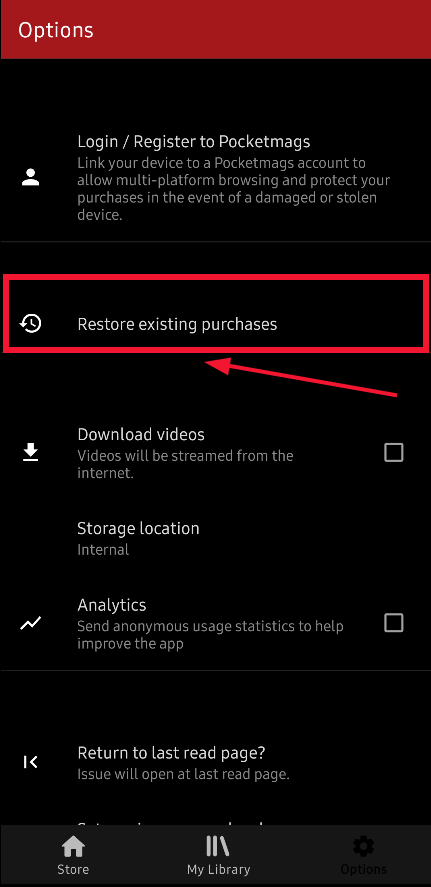
Android:
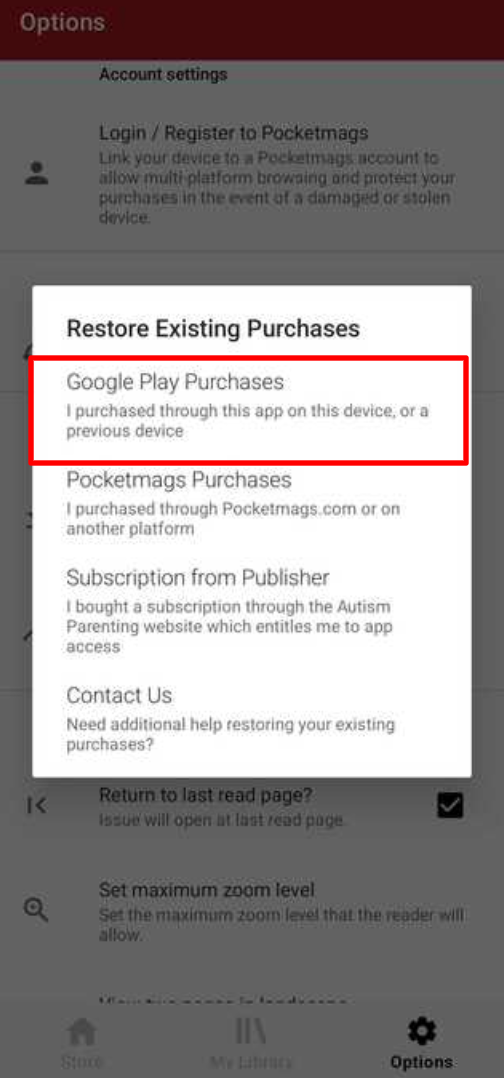
Your magazine issues should now appear in My Library.
We also have a short video that walks you through the process: Autism Parenting Magazine App short video
Was this article helpful?
That’s Great!
Thank you for your feedback
Sorry! We couldn't be helpful
Thank you for your feedback
Feedback sent
We appreciate your effort and will try to fix the article